Everforest for Omarchy: green-gray surfaces and editor contrast
Inspect Everforest's previews and palette, distinguish its Neovim port from desktop integration, and evaluate muted text without overstating comfort claims.
Based on public documentation; not hardware-tested. Match the instructions to your version and hardware.
Omarchy’s bundled Everforest uses dark green-gray surfaces with pale warm text. It is a candidate to compare with Gruvbox when you want a less brown desktop, not a promise that muted colors improve anyone’s health. The original Everforest project provides the upstream family; Omarchy chooses a particular integration within it.
Official previews and what they establish
Section titled “Official previews and what they establish”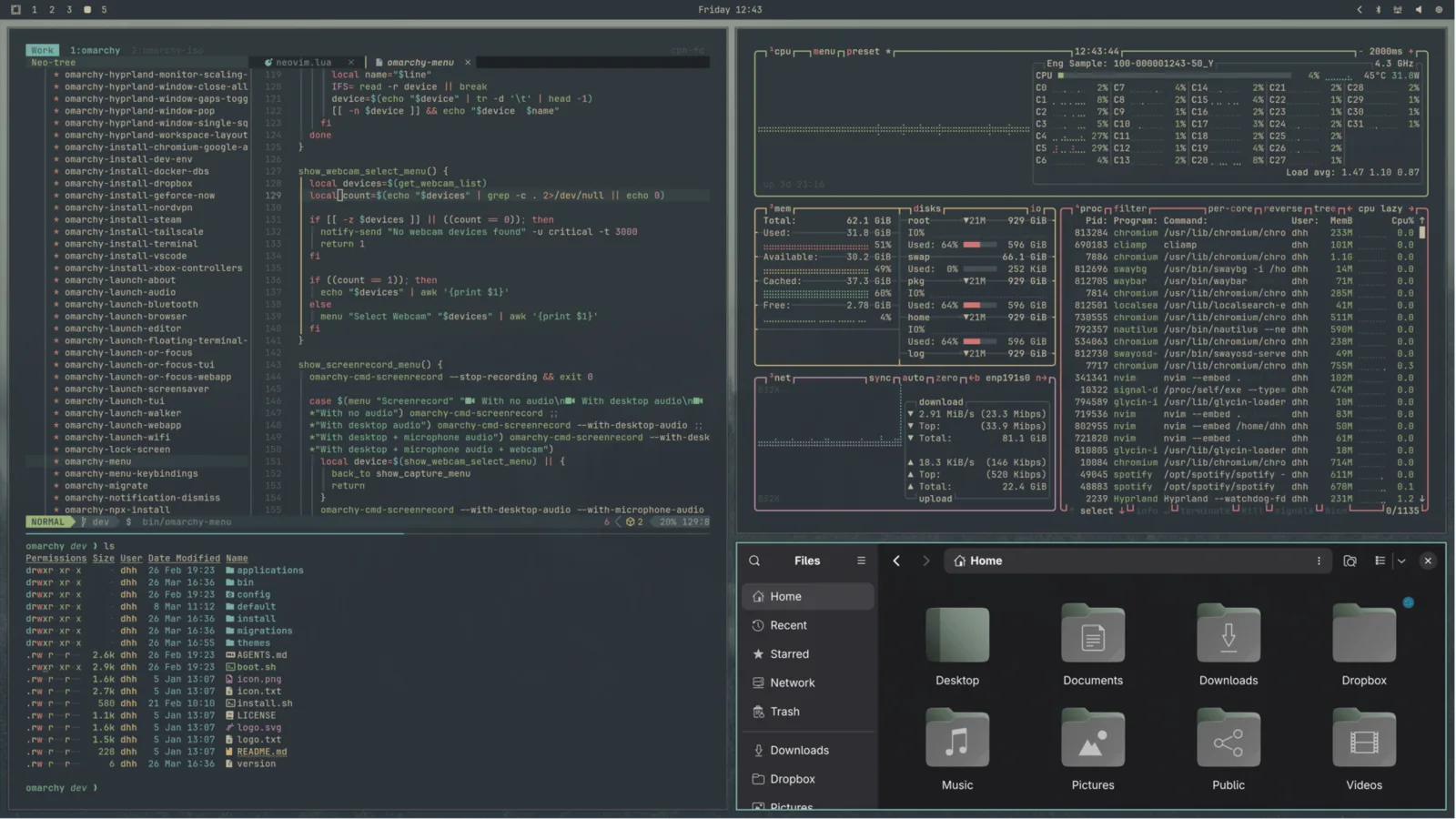
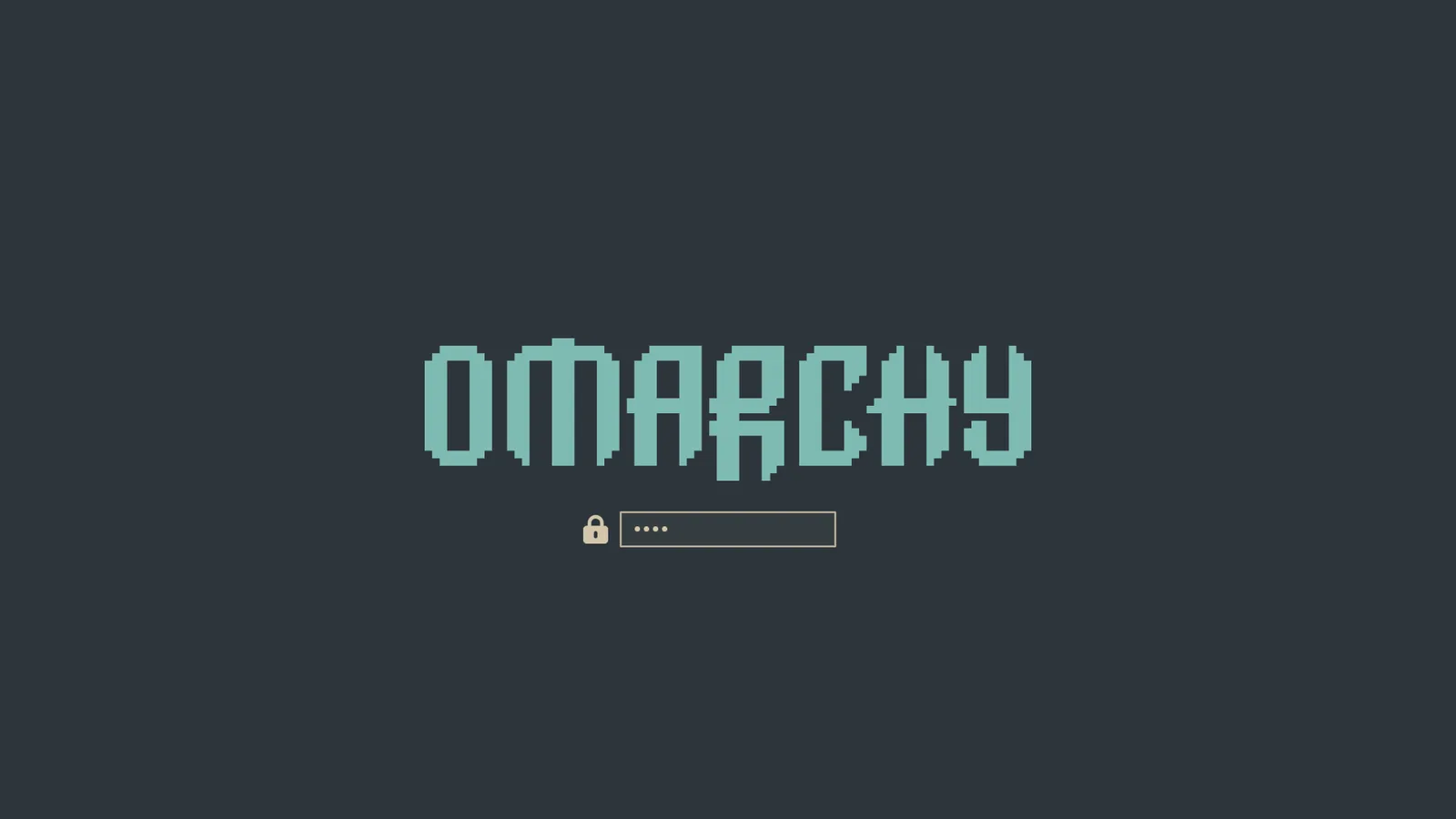
These are hosted by the official manual. The unlock picture is a separate boot surface. They show a supplied appearance, not a test of your exact display, editor plugins or installed version. Compare the gallery before making application changes.
Palette and implementation boundaries
Section titled “Palette and implementation boundaries”| Role in the pinned palette | Value | Useful observation |
|---|---|---|
| Background | #2d353b |
Green-gray main surface |
| Foreground | #d3c6aa |
Warm ordinary text |
| Accent | #7fbbb3 |
Cool emphasis against the warmer foreground |
| Selection | #3d484d |
A nearby, slightly lighter surface |
| Muted | #475258 |
A low-emphasis token, usage varies by consumer |
The palette source is more precise than assuming all upstream dark/soft/hard combinations are desktop options. The pinned Neovim integration declares neanias/everforest-nvim and selects everforest. It also contains background = "soft" in LazyVim options; that alone does not demonstrate which plugin-level contrast setting is effective in your runtime.
For editor options, consult the actual Lua port, not an unrelated Vim plugin’s variables. A personal editor contrast choice affects the editor, not the entire shell/terminal palette.
Select and test secondary information
Section titled “Select and test secondary information”Choose Style → Theme → Everforest, or omarchy-theme-set everforest for the pinned command set. Keep the same font, scale, brightness and code as your previous theme. This bundled option needs no extra repository.
Use a file you normally read and examine four different cases:
- Comments: can you read them without selecting them to reveal the text?
- Search: is a search hit clearly distinct from nearby ordinary text?
- Selection: can you see the selected range when it covers a comment and a colored identifier?
- Inactive surfaces: can you find an inactive tab or button without changing the window’s focus?
If only one case fails, record that case. Increasing every color’s brightness can erase the intended hierarchy between ordinary text and secondary information. Adjusting the responsible highlight is a more targeted experiment than replacing the whole palette.
Investigate a “too muted” editor
Section titled “Investigate a “too muted” editor”Inspect :colorscheme and :set background? in Neovim. If the scheme is different, investigate personal theme overrides first. If Everforest is active, compare a normal code window with a plugin-generated panel. A fuzzy finder, diagnostic panel or semantic highlight can have its own groups and integration; its weak contrast does not establish that the terminal palette is faulty.
Back up the relevant personal editor configuration before using the port’s documented contrast/highlight options. Change one property, restart the editor and retest the four cases. Keep your original file to undo the experiment. Avoid editing the generated current-theme directory or bundled plugin file as your permanent customization layer.
If both terminal and shell differ from the expected palette, resolve omarchy-theme-dir everforest and check for a personal same-name source. Then trace generated files and reload using application theming. An already running application can lag behind a successful selection.
Wallpaper, variants and recovery
Section titled “Wallpaper, variants and recovery”A green background picture is not required for Everforest. With translucent windows, a simpler wallpaper can make subtle surfaces easier to judge. Keep the image constant during the first comparison.
Upstream’s light options do not guarantee an installed light Everforest desktop; verify your picker and the candidate’s actual files before installing a community variant. Use light-theme alternatives for a supported shortlist.
To undo a selection, return to your previous theme. To undo an editor experiment, restore its saved personal configuration too. Record the theme source, editor port and one reason for keeping Everforest; it gives a reproducible decision rather than a general claim that one palette is best for everyone.