Catppuccin for Omarchy: Mocha, Latte, previews and practical checks
Compare Omarchy's two Catppuccin selections, understand upstream flavors, inspect actual palette files and make a reversible personal variation.
Based on public documentation; not hardware-tested. Match the instructions to your version and hardware.
Catppuccin is a useful first comparison because Omarchy includes both a dark Catppuccin selection and light Catppuccin Latte. The upstream project has four flavors—Latte, Frappé, Macchiato and Mocha—but that does not mean your Omarchy selector exposes all four as complete desktop themes. The pinned dark palette matches Mocha’s base colors. See the upstream flavor reference.
Look at the supplied surfaces
Section titled “Look at the supplied surfaces”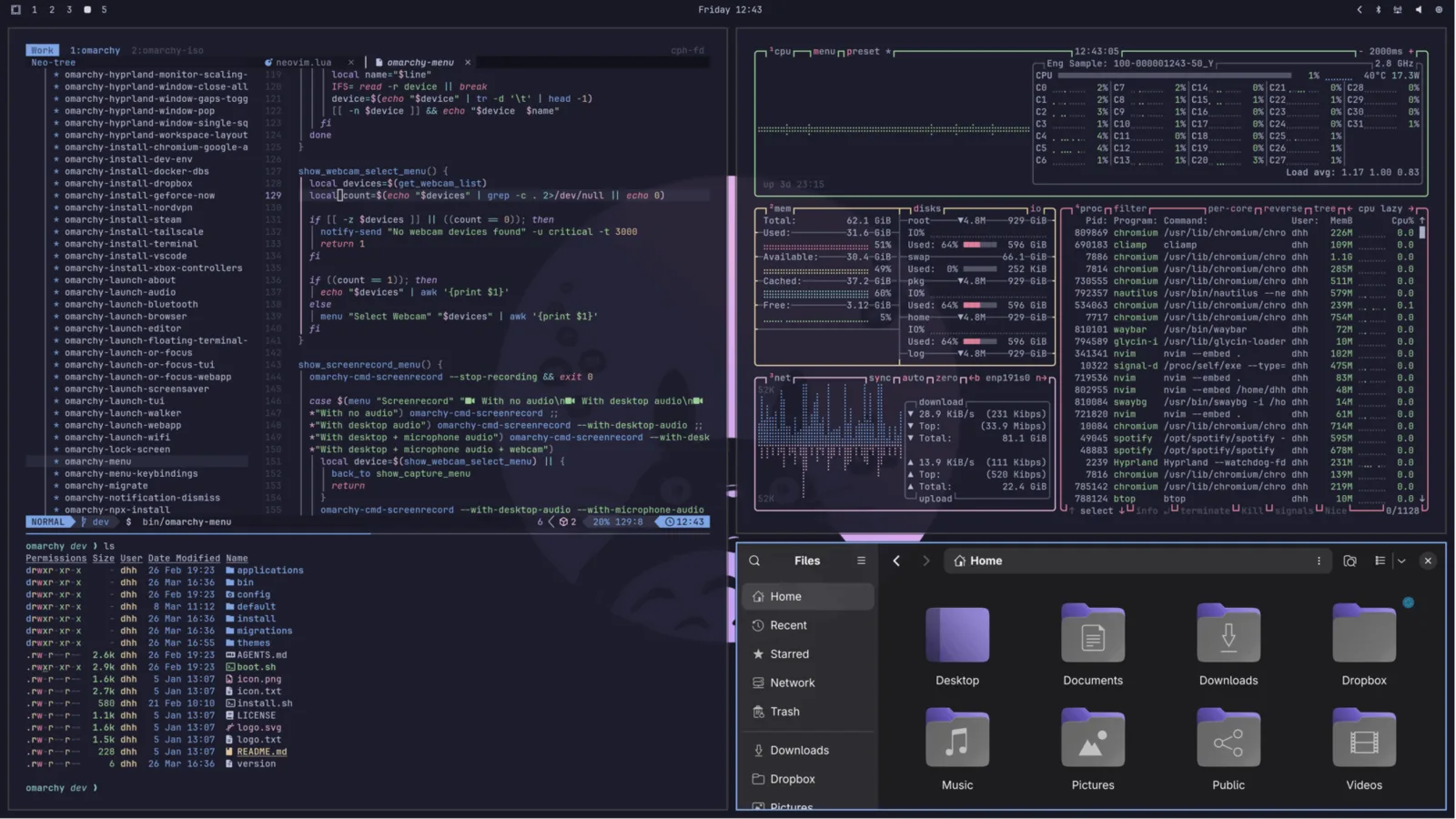
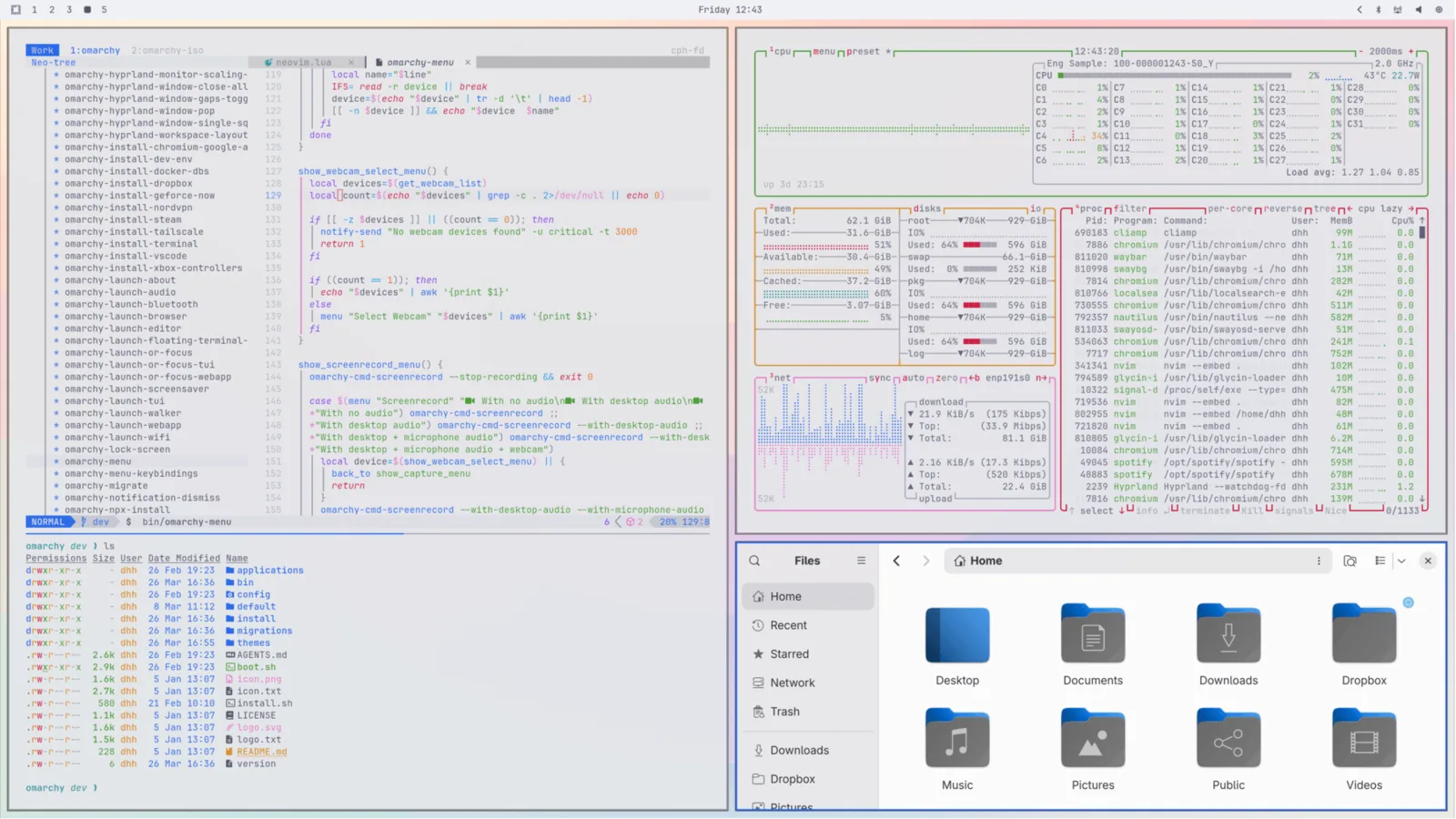
These are original images from the official themes manual, not screenshots from our test hardware. For the separate boot-unlock previews and other families, use the gallery. A desktop picture cannot establish every app’s current theme or every monitor’s contrast.
Compare actual Omarchy palette values
Section titled “Compare actual Omarchy palette values”| Role | Catppuccin | Catppuccin Latte | What to examine |
|---|---|---|---|
| Background | #1e1e2e |
#eff1f5 |
Main terminal/shell surfaces |
| Foreground | #cdd6f4 |
#4c4f69 |
Ordinary text |
| Accent | #89b4fa |
#1e66f5 |
Focus and emphasized controls |
| Selection | #45475a |
#ccd0da |
Selected content on its base |
| Muted | #585b70 |
#acb0be |
Tokens whose actual use depends on the template |
Values come from the pinned dark palette and Latte palette. “Muted” is a semantic token, not proof that every app renders comments in that color.
Try both without installing another repository
Section titled “Try both without installing another repository”Choose Style → Theme → Catppuccin, inspect the same terminal output, code file and selected paragraph, then select Catppuccin Latte. In the pinned command set the equivalents are:
omarchy-theme-set catppuccinomarchy-theme-set catppuccin-latteRun one, inspect it, then run the other; the second replaces the first selection. Neither requires an additional community clone. Keep brightness, font size and opacity fixed while comparing. Dark and light comfort is personal; this page makes no medical claim about either flavor.
For an editor mismatch, check :colorscheme and :set background? inside Neovim. The Catppuccin Neovim port exposes editor-specific flavor/integration options. Those options do not change the desktop palette. A personal editor plugin choosing Macchiato can explain why it differs from the Omarchy dark selection.
A reversible variation: change the accent, not the bundled theme
Section titled “A reversible variation: change the accent, not the bundled theme”For the pinned layout, make a differently named personal copy rather than shadowing the built-in name. First check that the destination is absent:
test -e ~/.config/omarchy/themes/catppuccin-personal && echo "Already exists: stop and inspect"Only if absent, create the parent and copy the resolved source:
mkdir -p ~/.config/omarchy/themescp -a "$(omarchy-theme-dir catppuccin)" ~/.config/omarchy/themes/catppuccin-personalEdit only accent in that copy’s colors.toml, retaining a record of #89b4fa; then select catppuccin-personal. Expect template consumers to use the changed token where applicable, not every application’s complete syntax palette to become that accent. This is a personal copy of trusted built-in source, not a method to bypass community-theme filtering.
If it does not look different, inspect generated consumers using application theming and any hand-written overrides. Do not keep changing unrelated colors until something changes. To undo, select catppuccin again. Your separate personal folder remains available for later comparison without altering the original source.
Decide whether to keep it
Section titled “Decide whether to keep it”Test selection visibility, comments, terminal color output and a light browser document. If the palette is good but the picture distracts you, change only the wallpaper. If an imported “Catppuccin” theme differs, compare flavor, source directory and repository commit before concluding the built-in theme is broken. Continue with light-theme comparisons or dark-theme comparisons for alternatives.